State of My Homelab in 2026: k3s on NixOS and GitOps with FluxCD
 Ashpex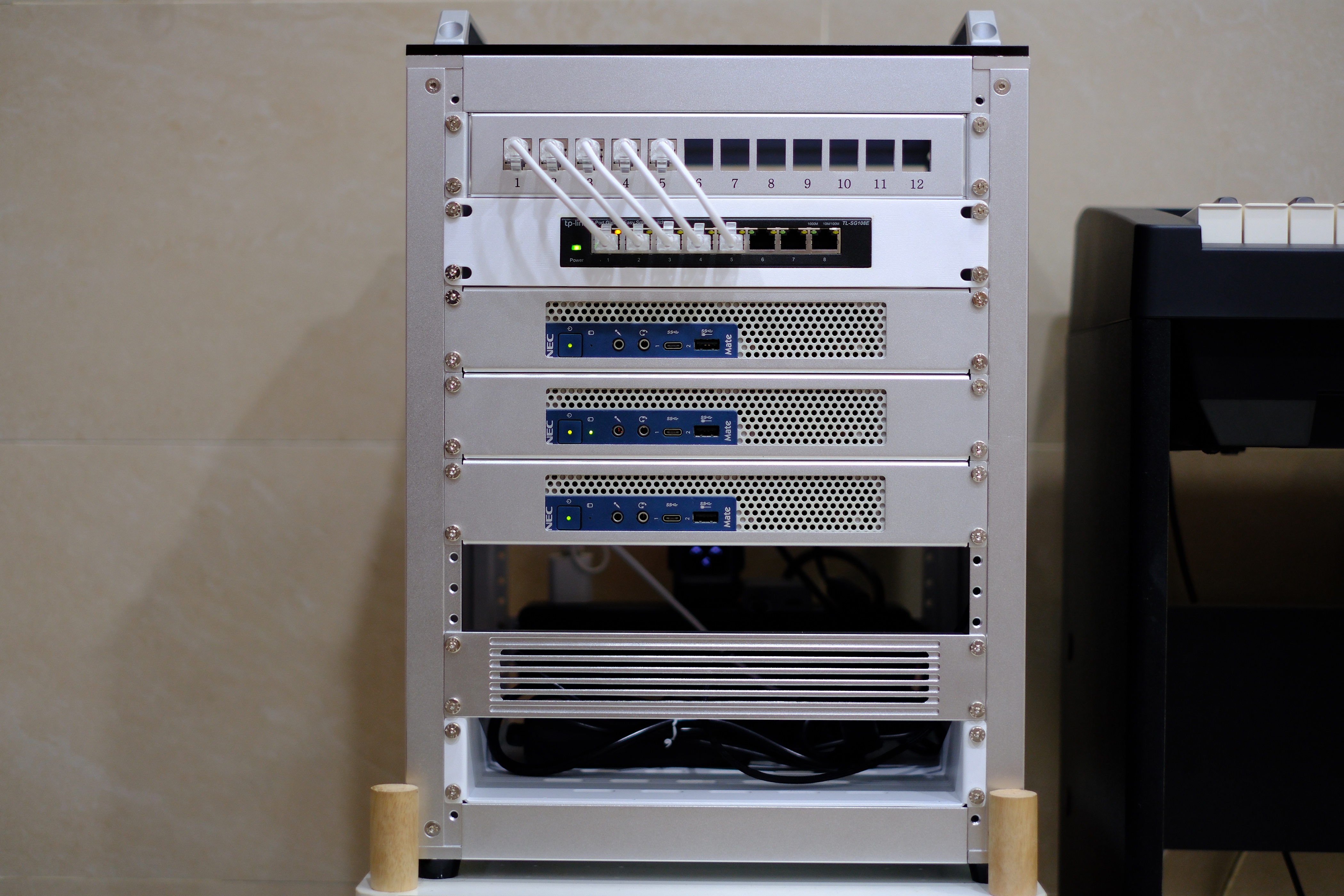
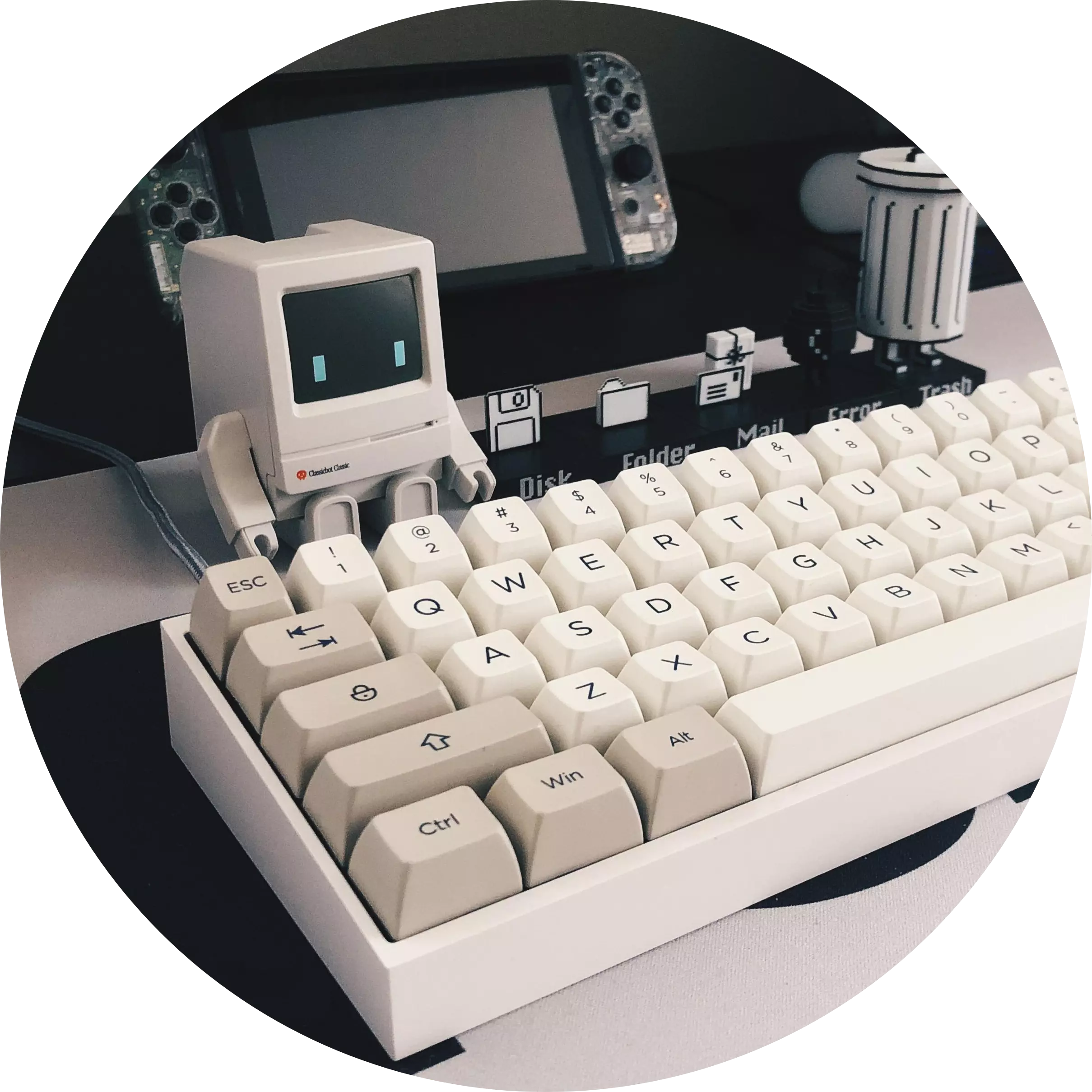
It has been a year since I last posted an update about my homelab, and a lot has changed since then, maybe almost everything. You can probably tell just by looking at the post image. Yes, I finally joined the club and built a mini rack.
Hardware
First, let’s go over the hardware. I sadly sold my good old Jonsbo N2 NAS to my colleague. Press F to pay respect. It served me well.
Anyway, I picked up three NEC mini PCs. They are essentially ThinkCentre M720q machines in a different shell, but I love the white chassis. I named them metal0, metal1, and metal2, and here are the specs:
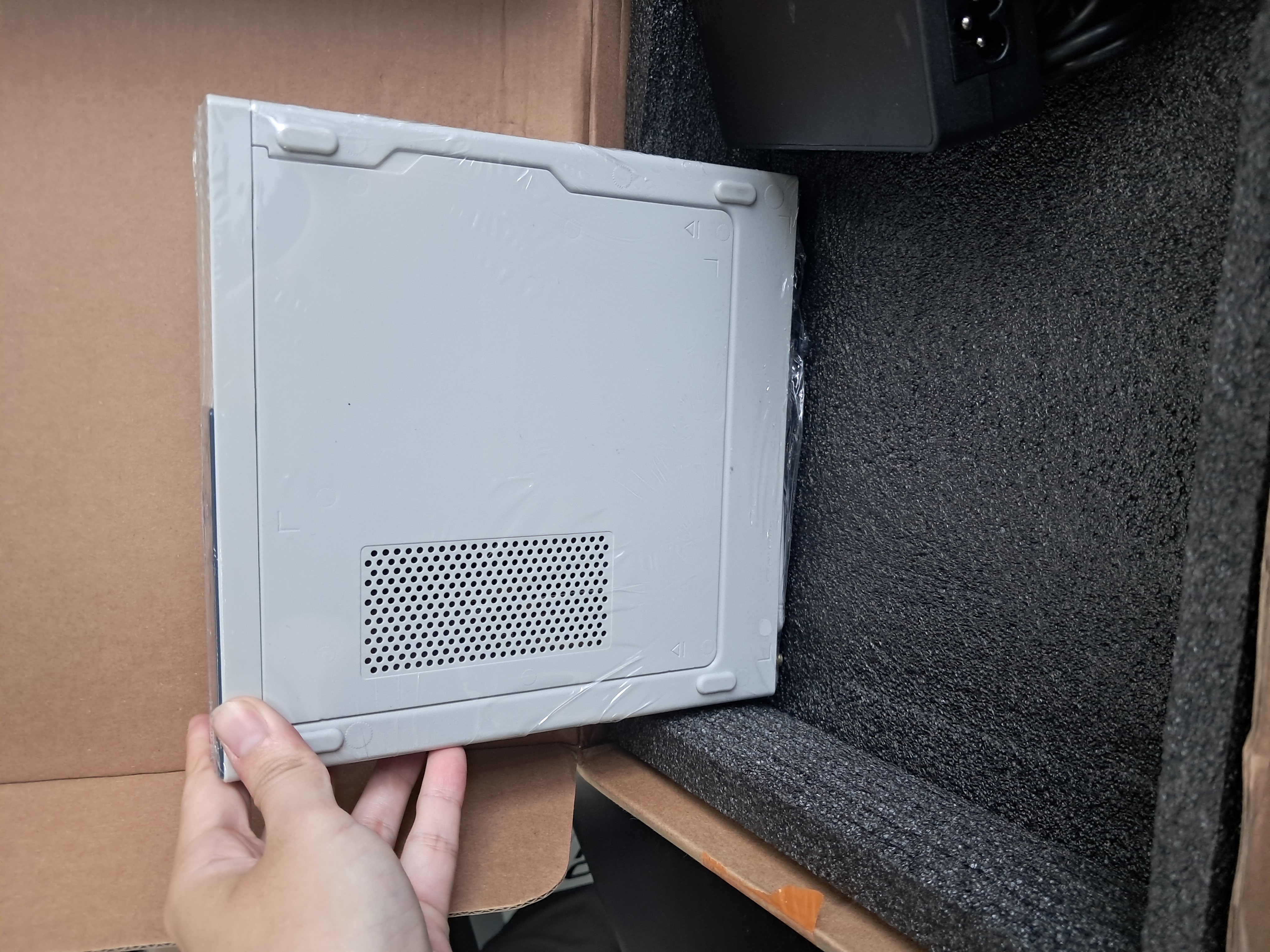
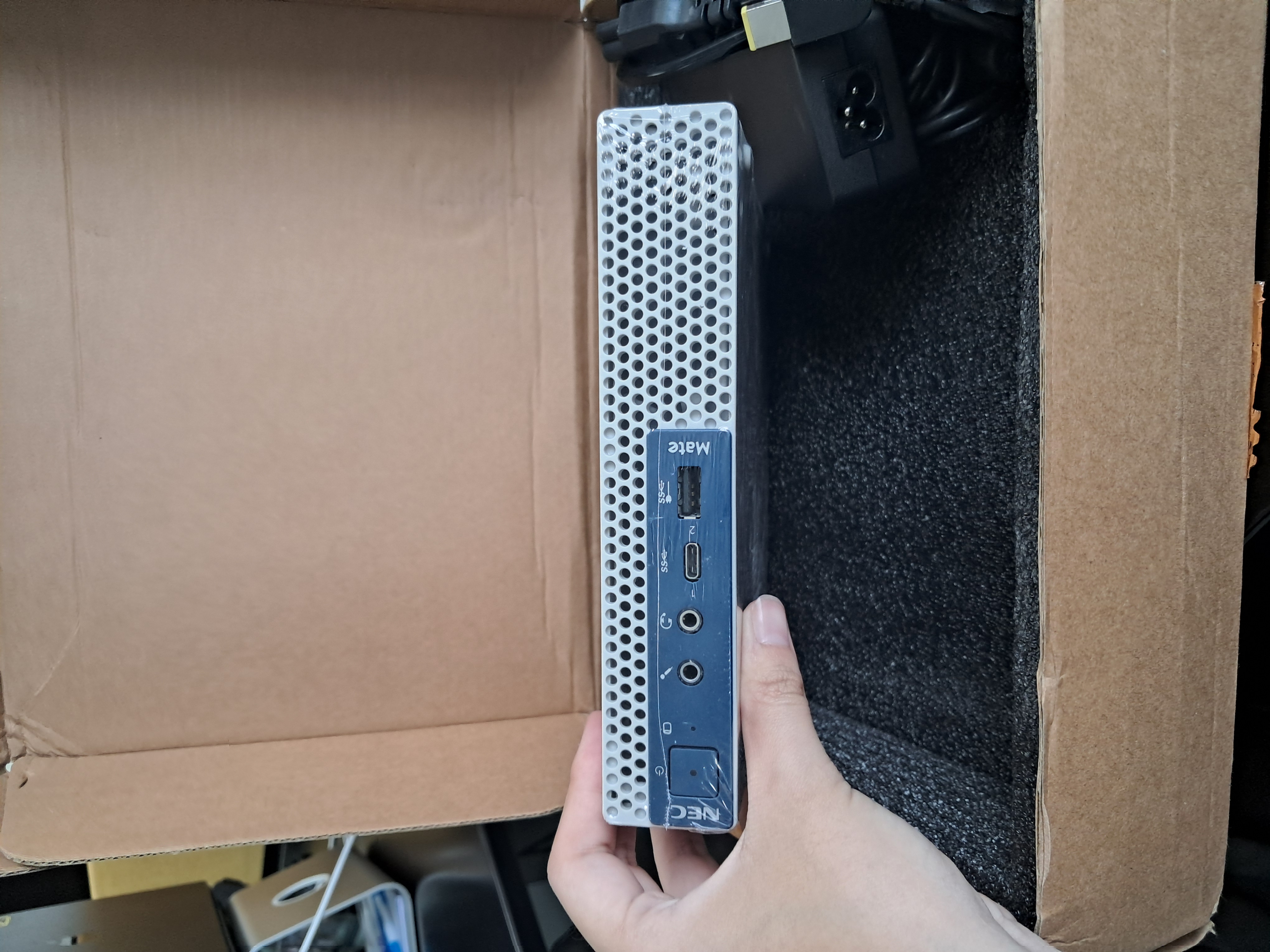
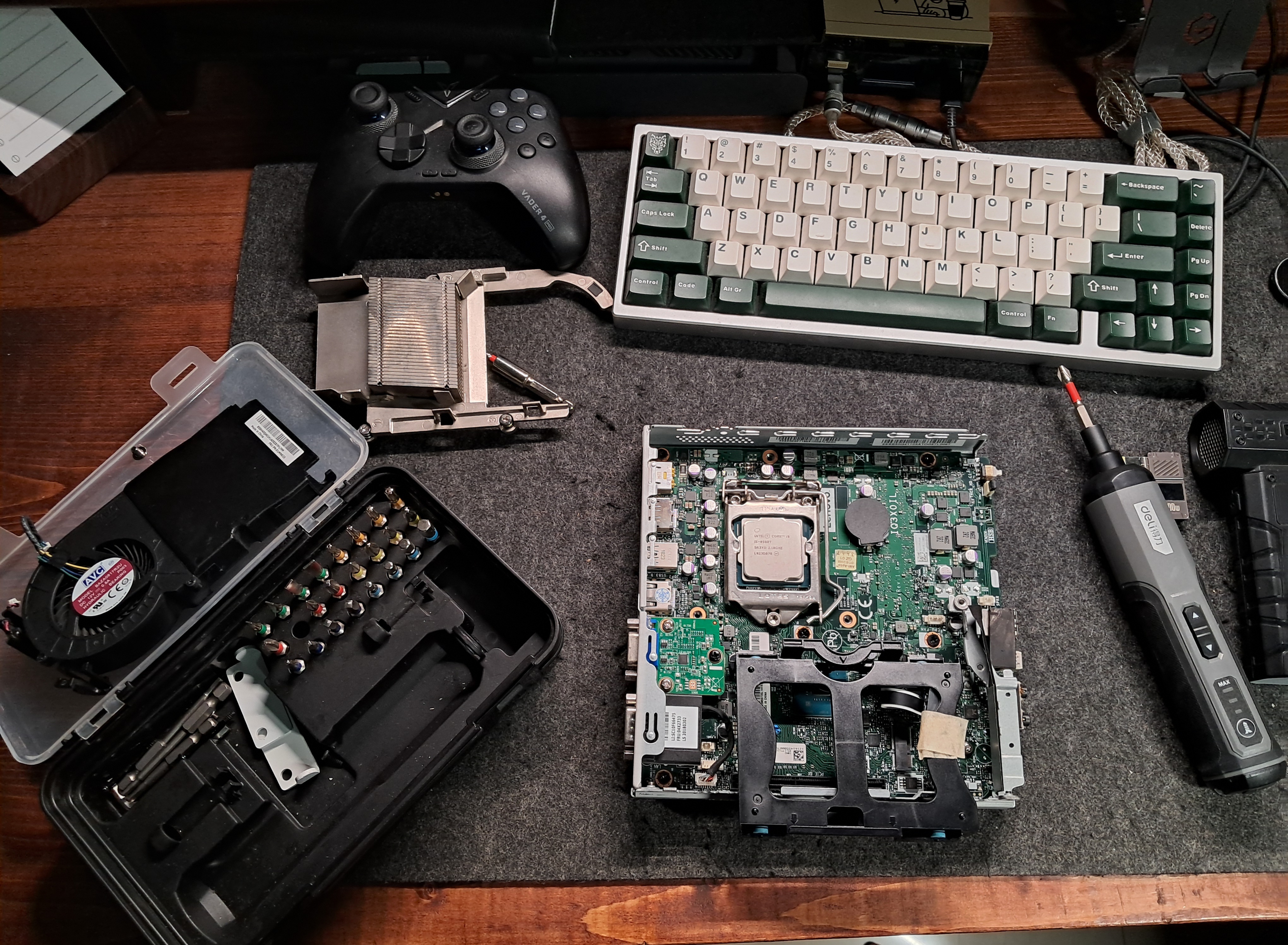
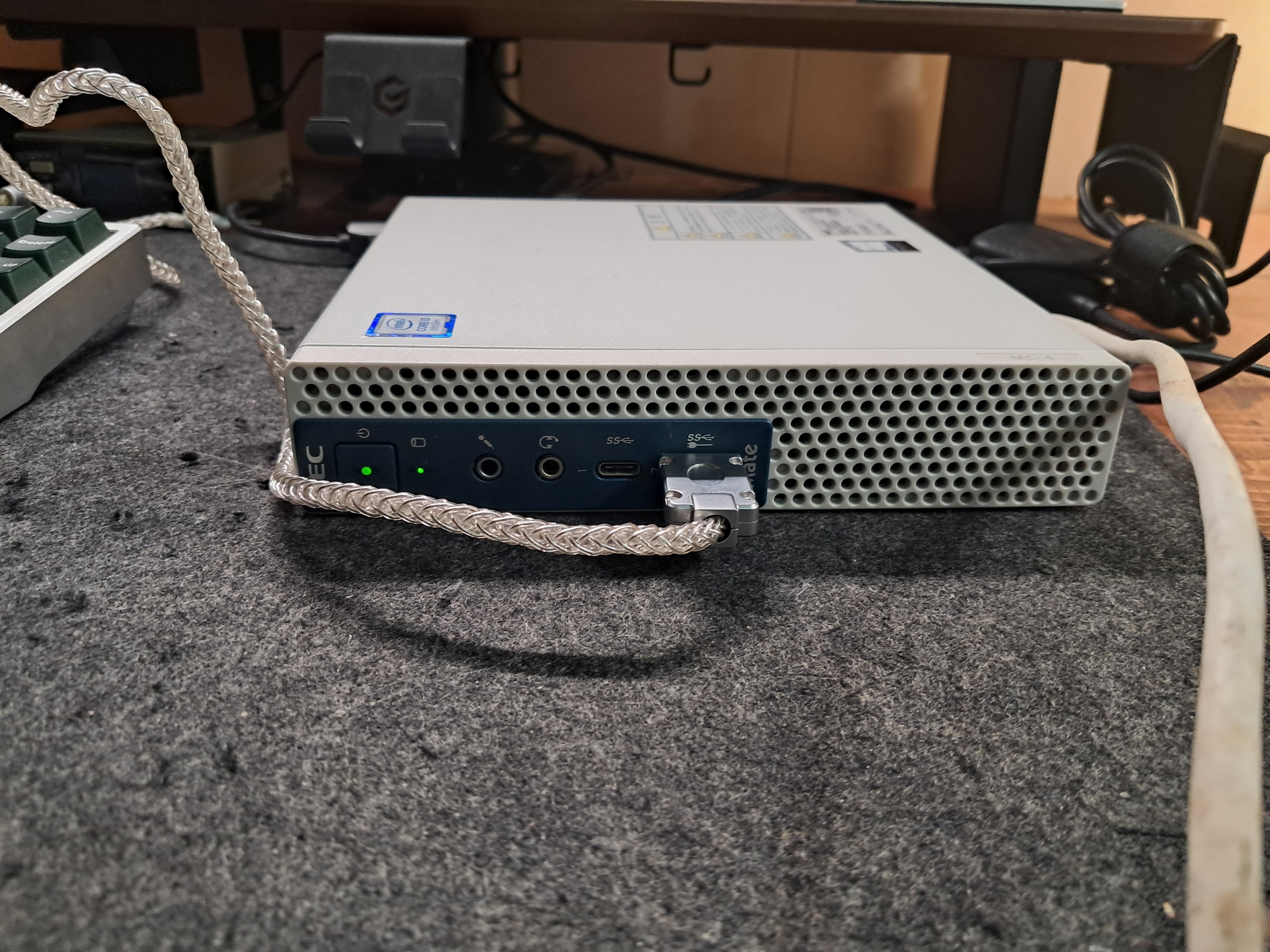
metal0- CPU: i3 8100T
- Memory: 8GB
- Boot: 128GB NVMe SSD
- Storage: 480GB SATA SSD (this will also serve as my nas)
metal1andmetal2- CPU: i5 8500T
- Memory: 16GB
- Boot: 256GB NVMe SSD each
Btw, some of the RAM and storage were sadly pulled from my ThinkPad T480 🥺. Hey, don’t look at me like that. Have you seen RAM prices lately?
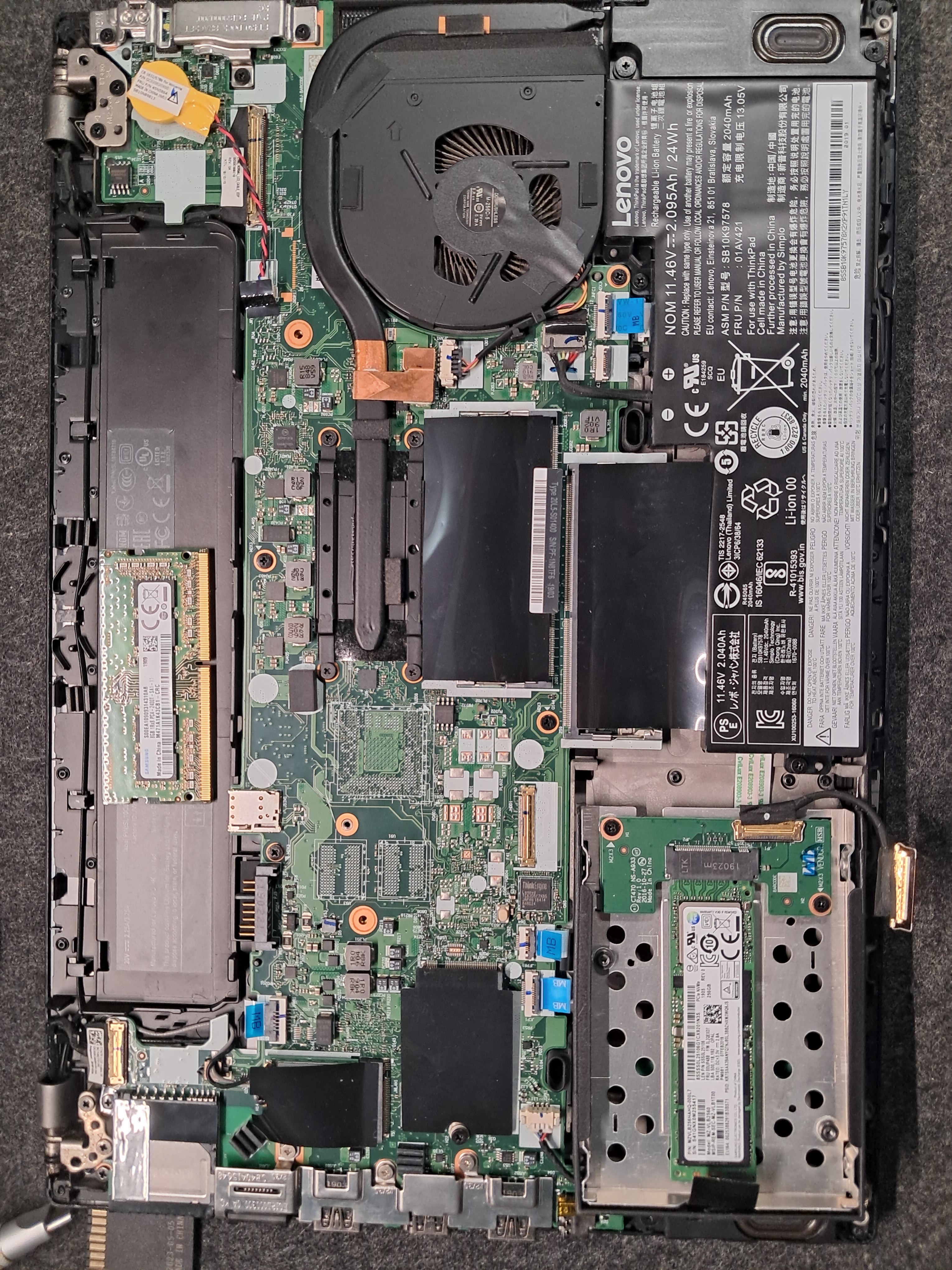
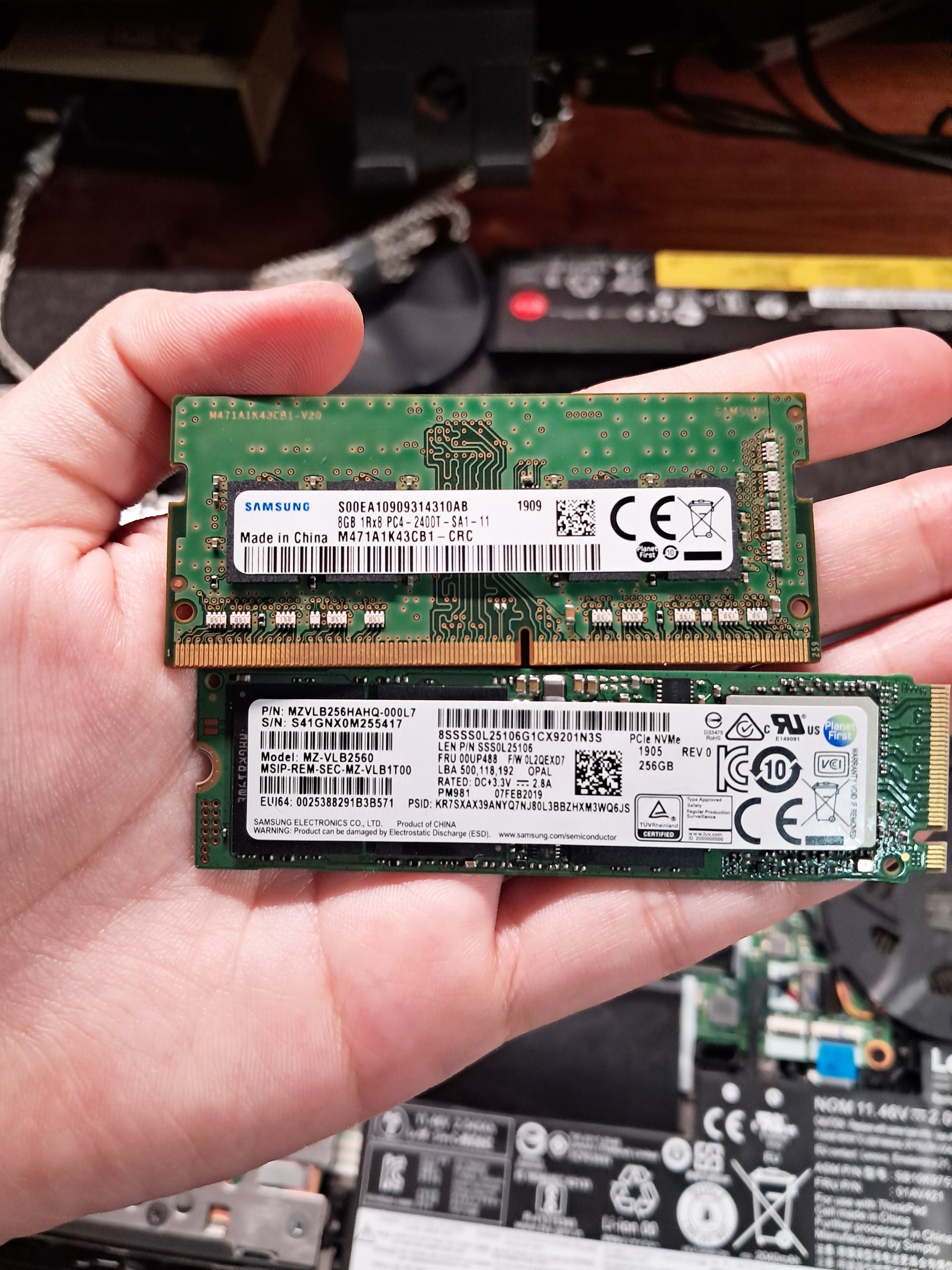
I also have two more 480GB SATA SSDs, but they will have to wait until I get a PCIe-to-SATA card.
The Rack
At first glance, you might think it is a RackMate T1 by RackPi, but it is actually a 12-inch rack I found on Taobao. The build quality is solid: full aluminum frame with acrylic side panels. I bought it thinking it was the standard 10-inch size, but that mistake turned out pretty well. It is still adorably small, and the extra width gives me way more room to route cables and move things around.
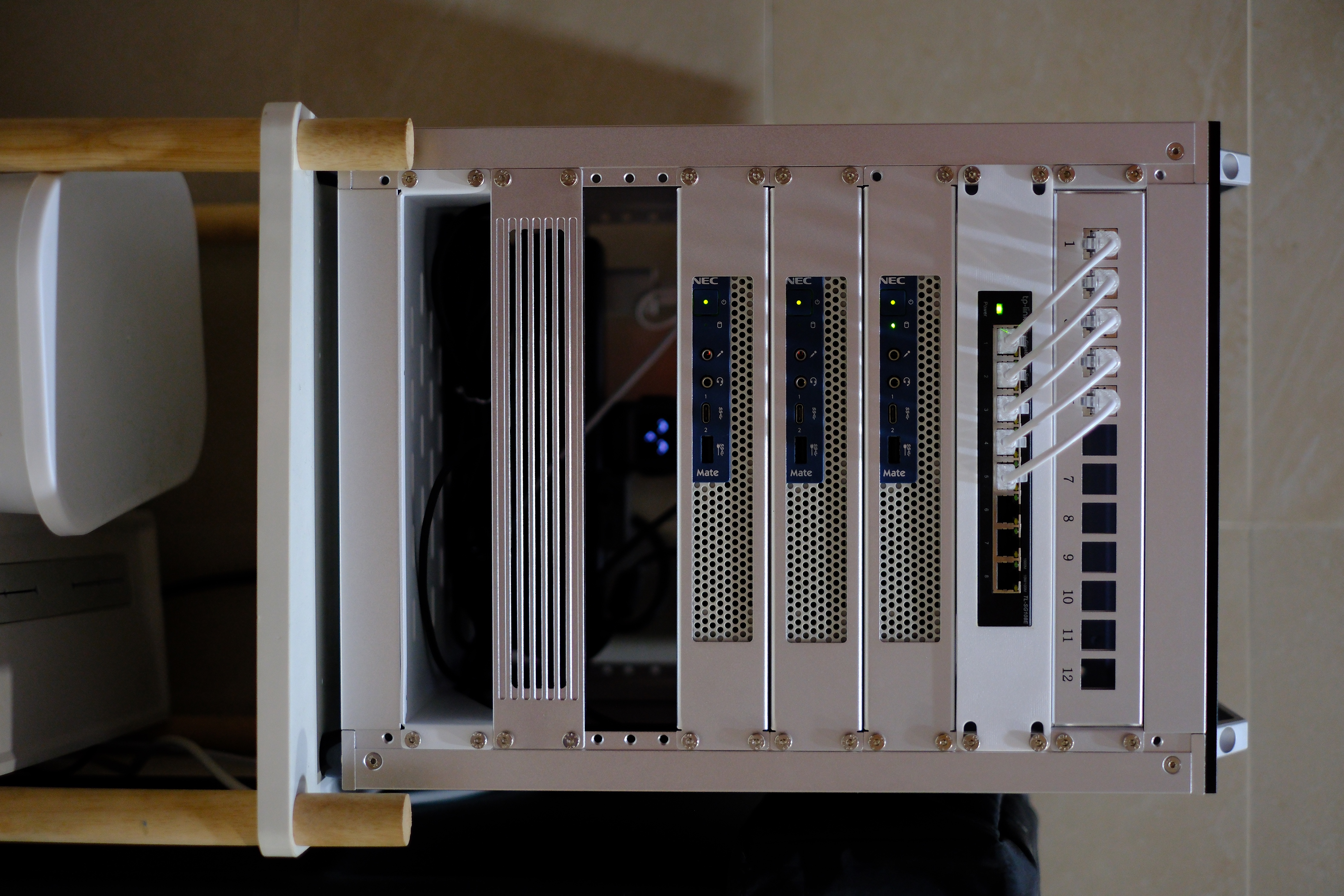
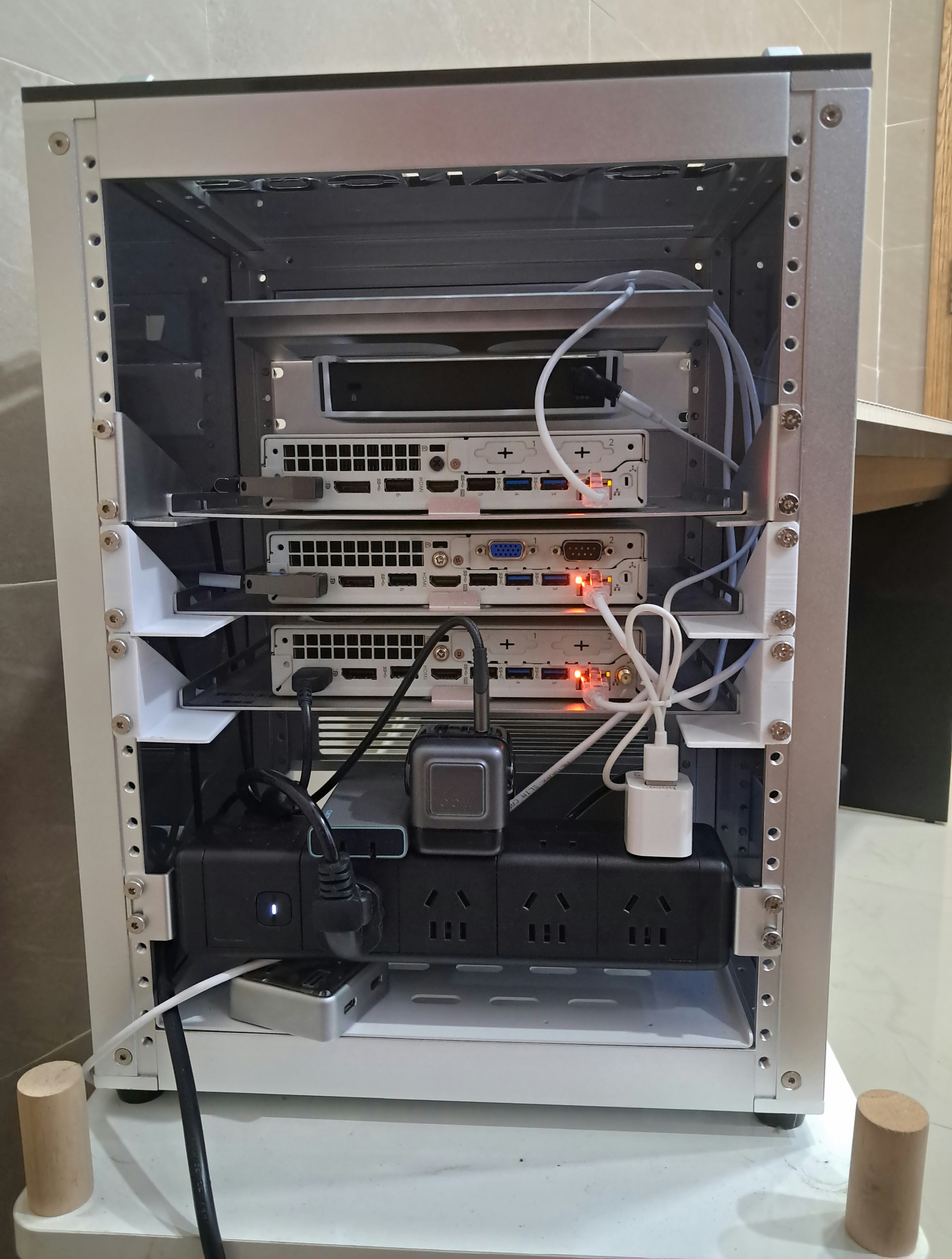
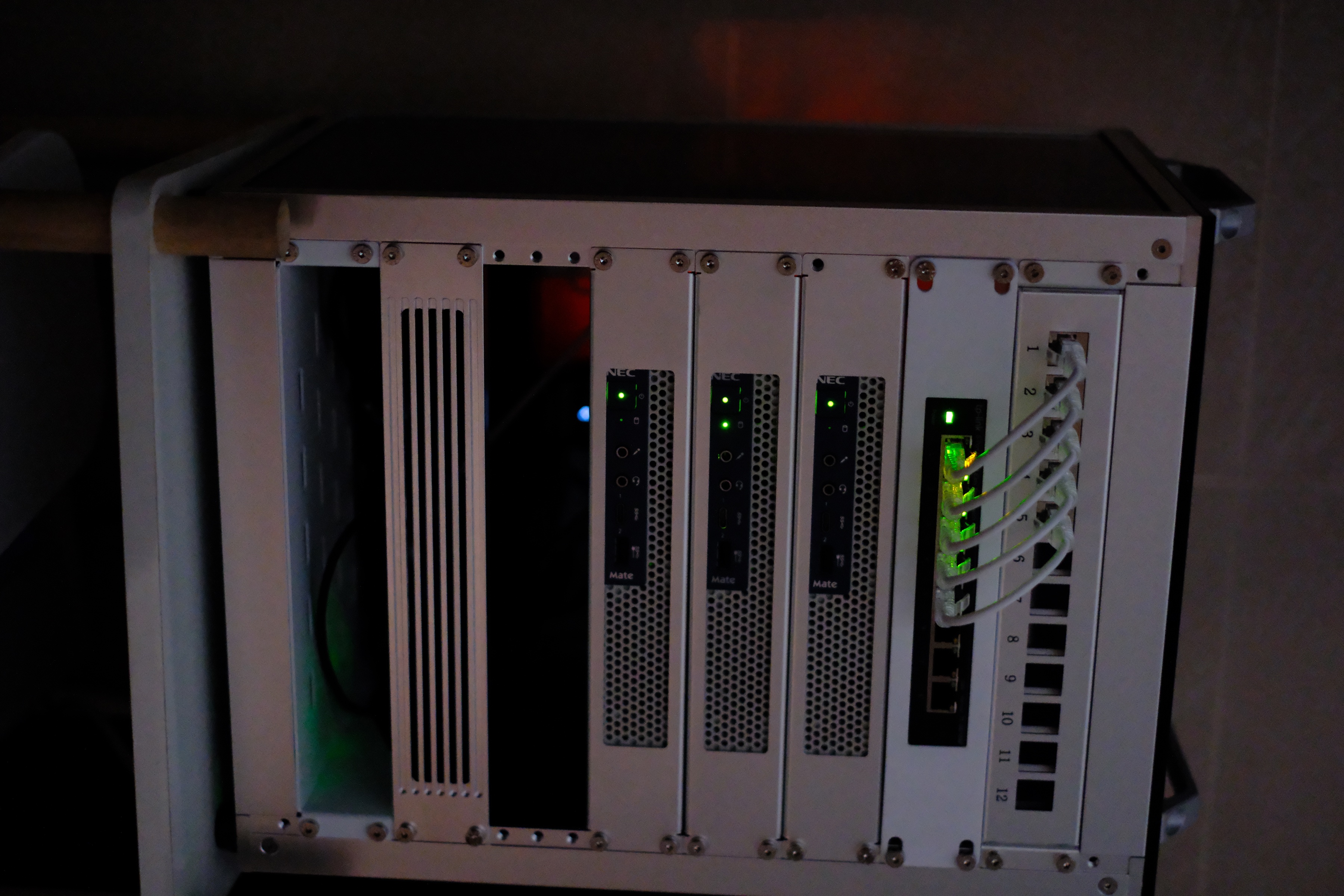
Inside the rack, I have three NEC mini PCs sitting right below a patch panel and a TP-Link SG108E switch for the wired network. Around the back, there is an 8-outlet PDU, which is more than enough for everything in this rack.
OS
The main reason I ditched the NAS and bought three mini PCs was to build a Kubernetes cluster with k3s. All three machines run as k3s control-plane nodes, giving the cluster high availability instead of relying on a single node.
I also wanted the entire setup to be as declarative and reproducible as possible, so I installed NixOS on them. Well, almost all of them. One is still running Ubuntu because, during the migration, I moved the old NVMe SSD from the Jonsbo N2 straight into it. I have not gotten around to reinstalling it with NixOS yet.

The neat part is that they were installed with Nixie. It provides a seamless PXE install over the network, so you don’t have to use any USB drive. Watching a machine install itself over the network still feels like magic to me. Shout out to my senpai Khue Doan for the cool project.
Architecture
At a high level, the setup looks like this:
flowchart TD
    repo["homelab Git repo"]

    subgraph nodes["Mini PCs / k3s HA cluster"]
        metal0["metal0
control plane"]
        metal1["metal1
control plane"]
        metal2["metal2
control plane"]
    end

    nixos["NixOS
machine config"]
    flux["FluxCD
syncs cluster state"]
    platform["Platform layer
Traefik, Longhorn,
cert-manager, External Secrets,
Cloudflared"]
    apps["Apps layer
Immich, Forgejo, Glance,
Navidrome, ntfy, etc."]
    storage["Storage
Longhorn + NFS"]
    network["Networking
kube-vip + Traefik
Cloudflare Tunnel + Tailscale"]
    pulumi["Pulumi
DNS, tunnel config,
Tailscale, secrets"]
    internet["Internet"]

    repo --> nixos
    repo --> flux
    repo --> pulumi

    nixos --> metal0
    nixos --> metal1
    nixos --> metal2

    flux --> platform
    flux --> apps
    platform --> storage
    platform --> network
    storage --> apps
    pulumi --> network
    pulumi --> platform
    network --> internet

    classDef repo fill:#1f2937,stroke:#111827,color:#ffffff
    classDef node fill:#e0f2fe,stroke:#0284c7,color:#0f172a
    classDef config fill:#ecfccb,stroke:#65a30d,color:#1a2e05
    classDef gitops fill:#fef3c7,stroke:#d97706,color:#451a03
    classDef platform fill:#ede9fe,stroke:#7c3aed,color:#2e1065
    classDef service fill:#dcfce7,stroke:#16a34a,color:#052e16
    classDef network fill:#fee2e2,stroke:#dc2626,color:#450a0a
    classDef external fill:#f3f4f6,stroke:#6b7280,color:#111827

    class repo repo
    class metal0,metal1,metal2 node
    class nixos config
    class flux gitops
    class platform,pulumi platform
    class apps,storage service
    class network network
    class internet external
It sounds like a lot, and honestly it is, but each tool owns a clear part of the system.
Everything is configured in my homelab repo, which is split into a few layers:
nixos/: NixOS host definitions for the Kubernetes nodesbootstrap/: Ansible playbooks and one-time bootstrap scriptsflux/: Flux source and Kustomization objectsplatform/: cluster-level stuff like Traefik, Longhorn, cert-manager, External Secrets, and Cloudflaredapps/: the actual services I runpulumi/: Cloudflare, Tailscale, and secret plumbing
This structure is much easier for my brain. I always know where to look instead of digging through one giant pile of YAML.
Bootstrap and IaC
The machines and external cloud pieces need a little preparation before the cluster can run everything. Ansible handles the boring bootstrap work: k3s, storage mounts, NFS exports, Longhorn prerequisites, and the controllers.
Pulumi handles the parts that live outside normal Kubernetes manifests: Cloudflare DNS records, Cloudflare Tunnel config, Tailscale auth keys, and shared secrets. The secret flow is the part I like most. Pulumi creates secrets in a global-secrets namespace, then External Secrets syncs them into app namespaces for things like Immich, RomM, Authelia, and Forgejo.
flowchart LR
    config["Pulumi stack config
encrypted secrets"]
    pulumi["Pulumi Go program"]
    cf["Cloudflare
DNS + tunnel config"]
    ts["Tailscale
auth keys"]
    global["global-secrets namespace
source secrets"]
    eso["External Secrets Operator"]
    ns["App namespaces
Immich, RomM, Forgejo"]
    apps["App pods
consume Kubernetes Secrets"]

    config --> pulumi
    pulumi --> cf
    pulumi --> ts
    pulumi --> global
    global --> eso
    eso --> ns
    ns --> apps

    classDef config fill:#fef3c7,stroke:#d97706,color:#451a03
    classDef pulumi fill:#ede9fe,stroke:#7c3aed,color:#2e1065
    classDef external fill:#fee2e2,stroke:#dc2626,color:#450a0a
    classDef secret fill:#e0f2fe,stroke:#0284c7,color:#0f172a
    classDef app fill:#dcfce7,stroke:#16a34a,color:#052e16

    class config config
    class pulumi pulumi
    class cf,ts external
    class global,eso,ns secret
    class apps app
What’s great is that almost the entire stack is defined in Git. NixOS manages the hosts, Flux reconciles the Kubernetes resources, and Pulumi manages external resources like Cloudflare. The repo is the source of truth, so I can see how everything is configured without SSHing into machines or digging through the Cloudflare UI.
GitOps with FluxCD
I use FluxCD as the GitOps controller for the cluster. It watches my homelab repo on the master branch and reconciles two main Kustomizations:
platformapps
The apps Kustomization depends on platform, so Flux always reconciles the cluster plumbing before the application layer. That keeps apps from starting before their ingress, storage, certificates, or secrets are ready.
apiVersion: kustomize.toolkit.fluxcd.io/v1
kind: Kustomization
metadata:
  name: apps
  namespace: flux-system
spec:
  path: ./apps
  dependsOn:
    - name: platform
Most services are deployed with Helm through Flux HelmRelease objects. The chart itself usually wraps bjw-s’s app-template chart, so I can describe the app in values.yaml instead of writing raw Deployments, Services, Ingresses, and PVCs every time.
flowchart LR
    change["Git commit
values.yaml / release.yaml"]
    repo["GitHub
Ashpex/homelab"]
    source["Flux GitRepository
flux-system"]
    platform["platform Kustomization
cluster components"]
    apps["apps Kustomization
application releases"]
    helm["Helm Controller
HelmRelease"]
    cluster["k3s cluster
running state"]

    change --> repo
    repo --> source
    source --> platform
    platform --> apps
    apps --> helm
    helm --> cluster

    classDef git fill:#fef3c7,stroke:#d97706,color:#451a03
    classDef flux fill:#ede9fe,stroke:#7c3aed,color:#2e1065
    classDef platform fill:#e0f2fe,stroke:#0284c7,color:#0f172a
    classDef app fill:#dcfce7,stroke:#16a34a,color:#052e16
    classDef cluster fill:#f3f4f6,stroke:#6b7280,color:#111827

    class change,repo git
    class source,helm flux
    class platform platform
    class apps app
    class cluster cluster
Storage
For persistent volumes, I mostly use Longhorn. It gives the cluster a CSI-backed storage layer, so app data is managed as Kubernetes volumes instead of random host paths.
I still use NFS from metal0 for shared media storage. Not every workload needs block storage, and media libraries are a better fit for a shared filesystem. For example, Immich photos and Navidrome music live on storage exported from metal0, while the apps can still run on other nodes when needed.
Networking
flowchart TD
    user["User / Browser"]
    public["Public hostname
from Pulumi config"]
    cloudflare["Cloudflare
DNS + Tunnel"]
    cloudflared["Cloudflared
inside cluster"]
    tailnet["Tailnet device"]
    adguard["AdGuard DNS rewrite
*.ashpex.net -> 192.168.1.100"]
    subnet["Tailscale subnet route
to home network"]
    kubevip["kube-vip
LoadBalancer VIP
192.168.1.100"]
    traefik["Traefik
default ingress"]
    cert["cert-manager
wildcard TLS"]
    app["App service
photos, git, music, hub"]

    user --> public
    public --> cloudflare
    cloudflare --> cloudflared
    cloudflared --> kubevip
    kubevip --> traefik
    traefik --> app
    cert -->|"ashpex-net-wildcard-tls"| traefik

    tailnet --> adguard
    adguard --> subnet
    subnet --> kubevip

    classDef user fill:#f3f4f6,stroke:#6b7280,color:#111827
    classDef edge fill:#fee2e2,stroke:#dc2626,color:#450a0a
    classDef cluster fill:#e0f2fe,stroke:#0284c7,color:#0f172a
    classDef security fill:#fef3c7,stroke:#d97706,color:#451a03
    classDef app fill:#dcfce7,stroke:#16a34a,color:#052e16

    class user,tailnet user
    class public,cloudflare,cloudflared,adguard,subnet edge
    class kubevip,traefik cluster
    class cert security
    class app app
Networking is handled by a few pieces working together:
- Traefik is the default ingress controller inside the cluster.
- kube-vip provides the
LoadBalancerVIP for Traefik and the Kubernetes API. - cert-manager creates a wildcard Let’s Encrypt certificate for
*.ashpex.netusing Cloudflare DNS-01. - Cloudflared handles the tunnel to the outside world.
- AdGuard Home rewrites private
*.ashpex.netDNS records to the kube-vip address. - Tailscale lets my Tailnet devices reach that private address through an advertised subnet route.
The nice part is that I do not need to expose random ports on my home network. For services that need to be publicly accessible, either to other people or external applications, I expose only the specific hostnames I need through Pulumi’s Cloudflare config:
homelab:cloudflareTunnels:
  - name: homelab
    noTLSVerify: true
    service: https://traefik.traefik.svc.cluster.local:443
    hostnames:
      - gallery.ashpex.net
      - hub.ashpex.net
      - git.ashpex.net
      - auth.ashpex.net
      - library.ashpex.net
      - budget.ashpex.net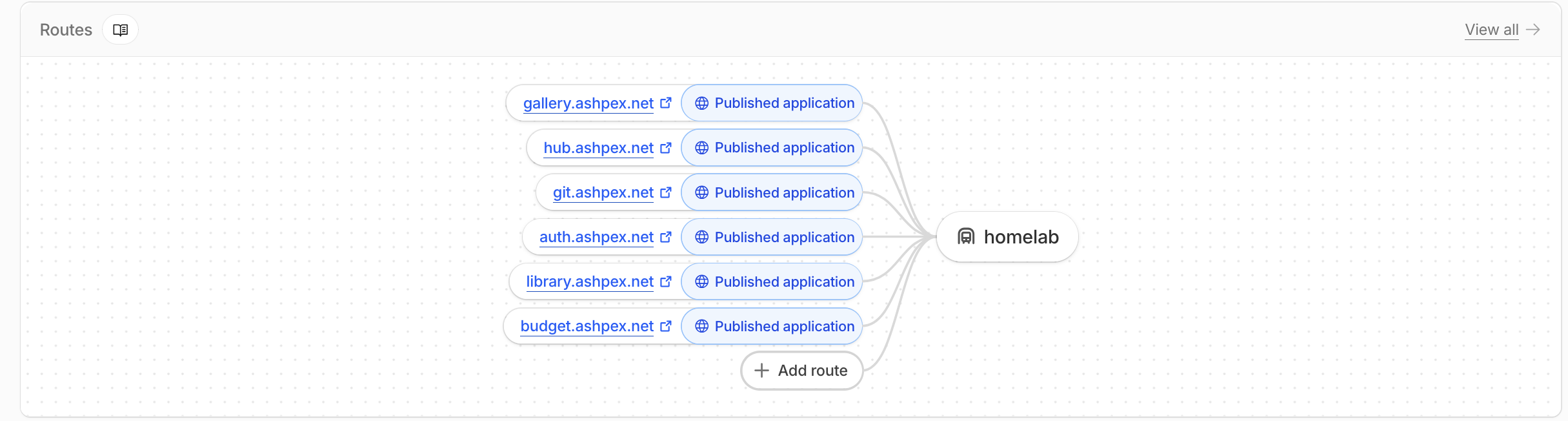
Cloudflare Tunnel forwards incoming traffic into the cluster through cloudflared. Traefik then routes each hostname to the appropriate application. The Traefik service receives a stable LoadBalancer IP from kube-vip. The wildcard certificate is stored as ashpex-net-wildcard-tls, so every *.ashpex.net service can get HTTPS without me creating a separate cert for each app.
Services that are not listed in the Cloudflare Tunnel config are not exposed to the public internet. I only want these services to be accessible when I am connected to my Tailnet, while still being able to access them using friendly domain names such as photos.ashpex.net instead of IP addresses.
To achieve this, I configure AdGuard Home with a wildcard DNS rewrite that resolves *.ashpex.net to 192.168.1.100, the kube-vip address for my cluster.
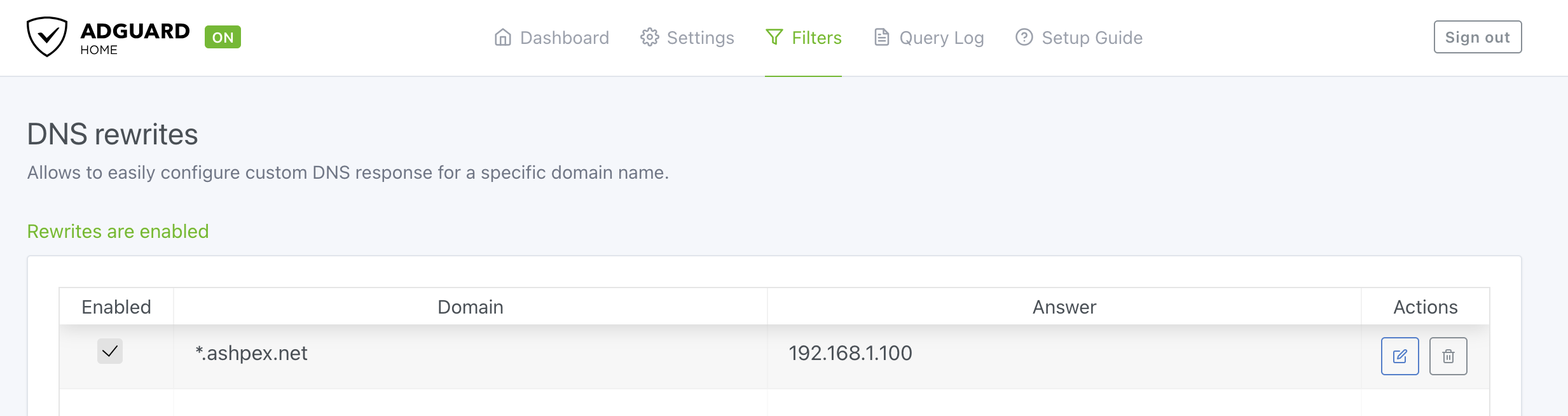
Then I configure AdGuard Home as the DNS server for my Tailnet and use a Tailscale subnet router to advertise the required local routes.
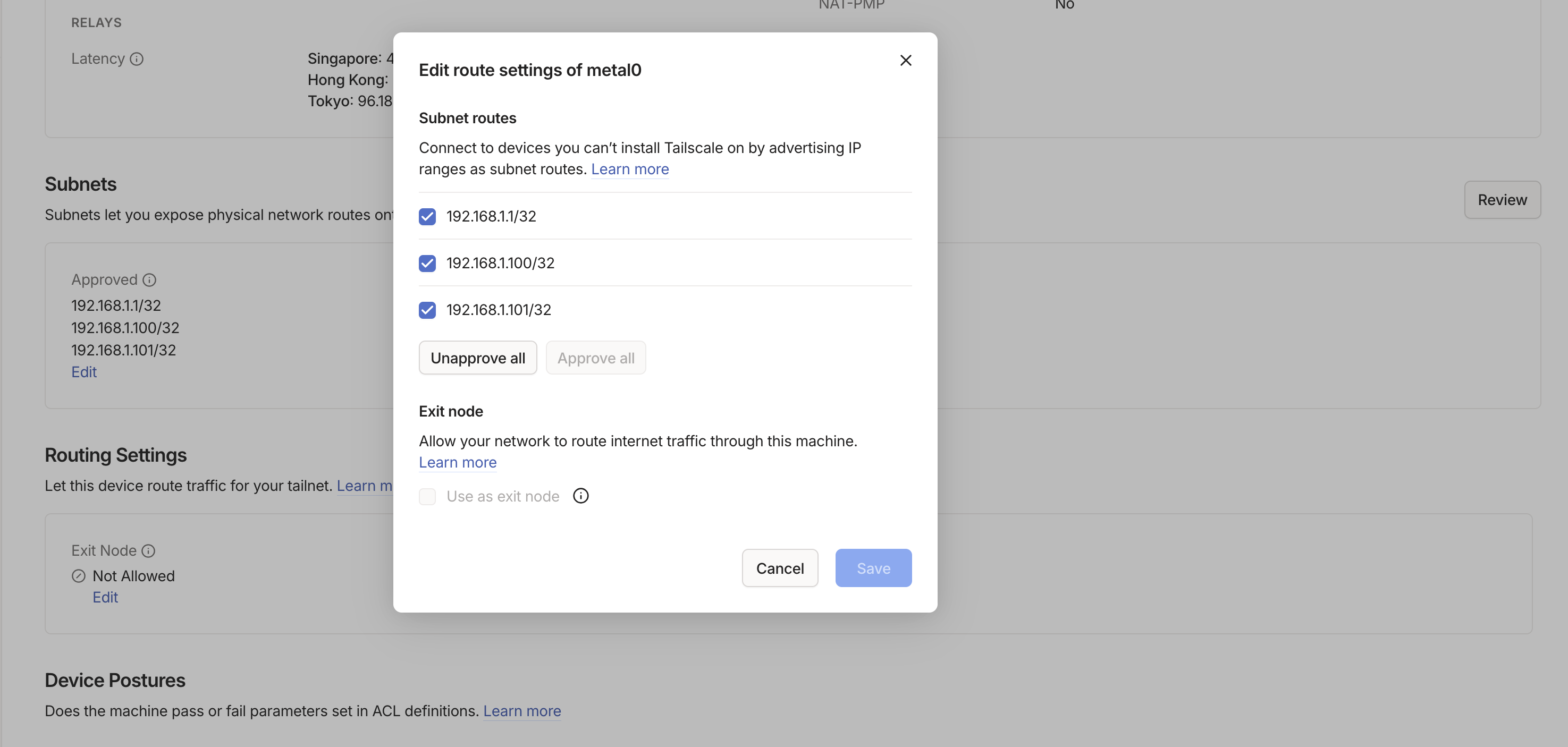
services.tailscale = {
  enable = true;
  useRoutingFeatures = "server";
  extraUpFlags = [
    "--advertise-routes=192.168.1.1/32,192.168.1.100/32"
    "--accept-dns=false"
    "--ssh"
  ];
};
As a result, private hostnames like photos.ashpex.net resolve to the cluster’s kube-vip address and route through Traefik when I’m connected to Tailscale. Otherwise, they remain inaccessible from the public internet since they aren’t exposed through Cloudflare Tunnel.
Backup
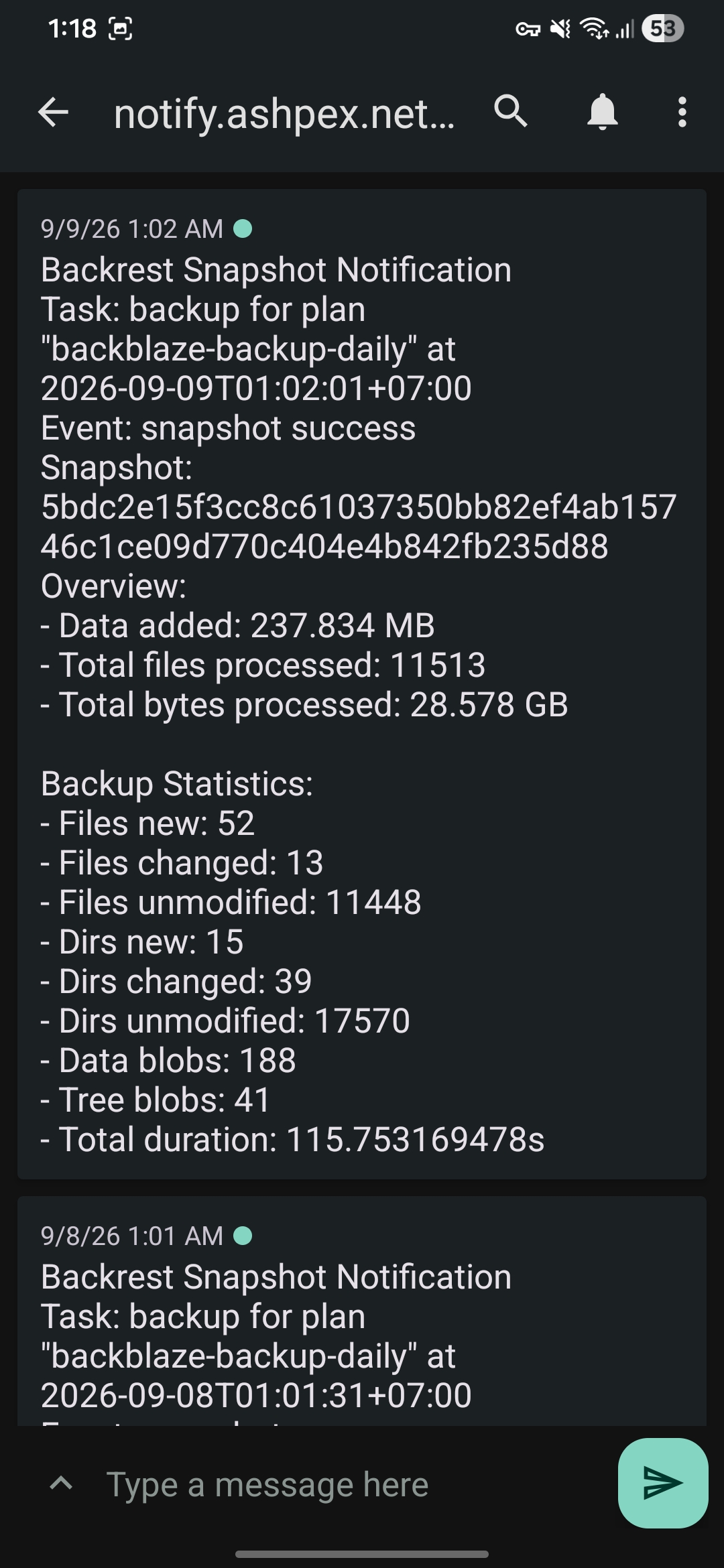
For backups, I use restic for the NAS storage. Longhorn volumes are backed up daily by a cron job. Both of them are synced to my Backblaze bucket.

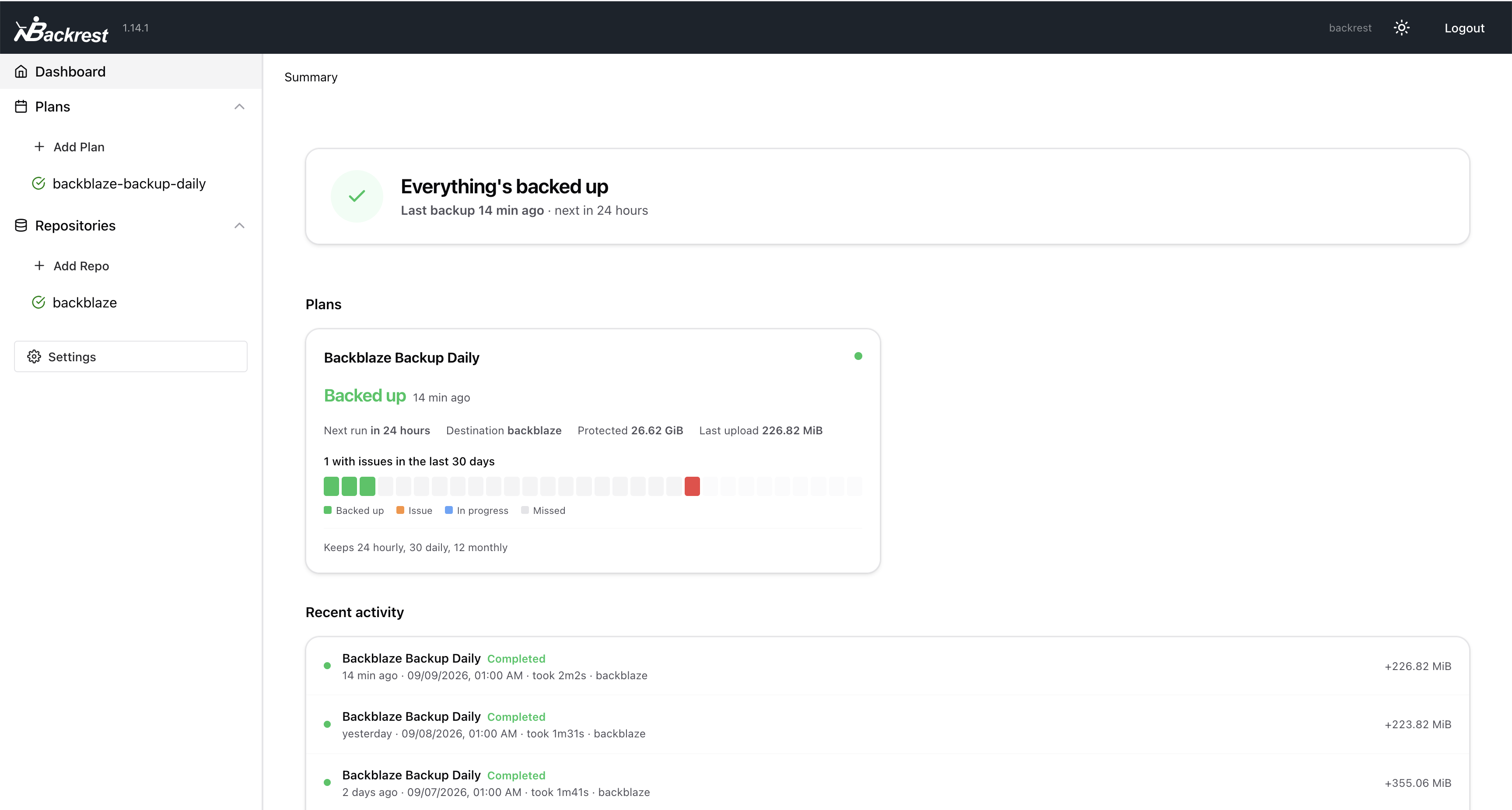
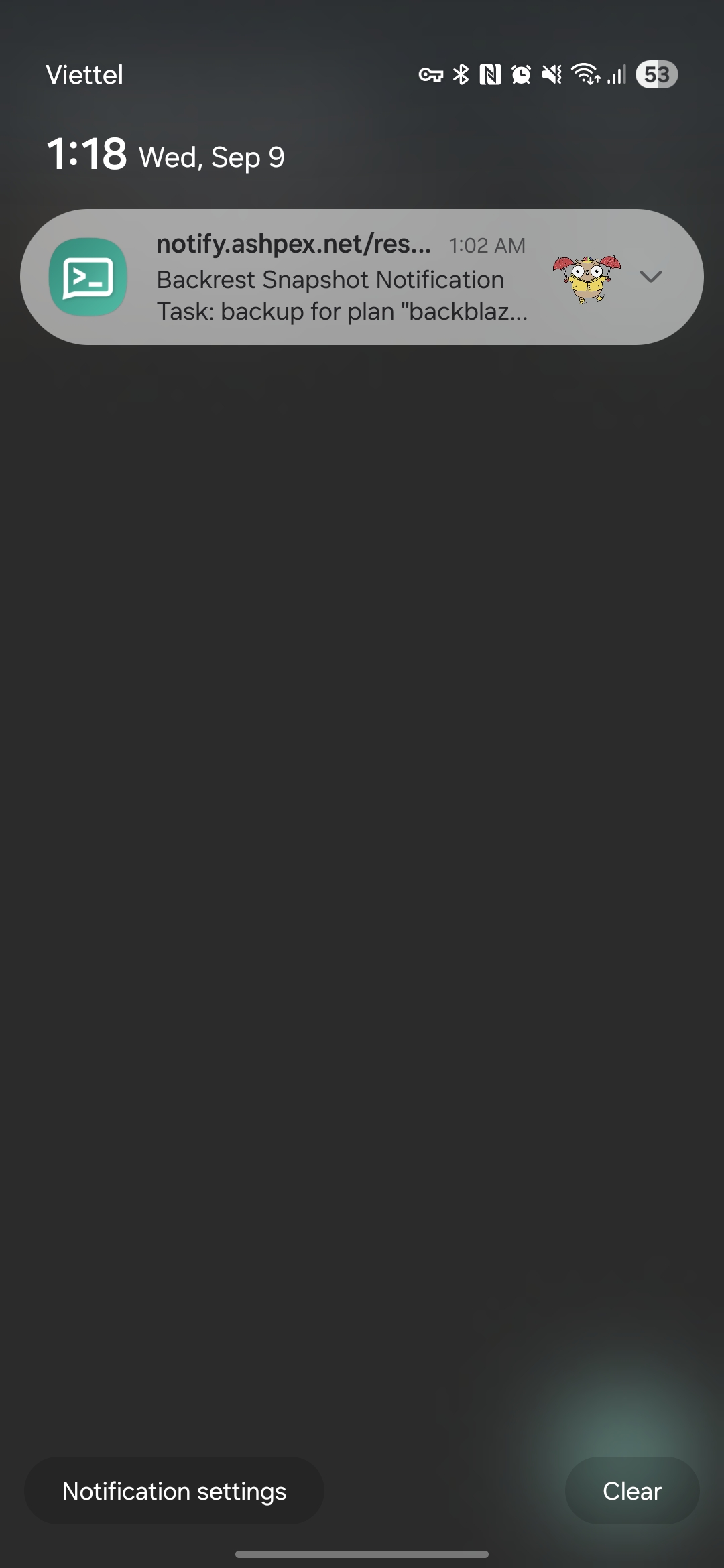
Whenever restic finishes a backup, it sends a notification to my self-hosted ntfy server, which then pushes it to my Android phone.
Services
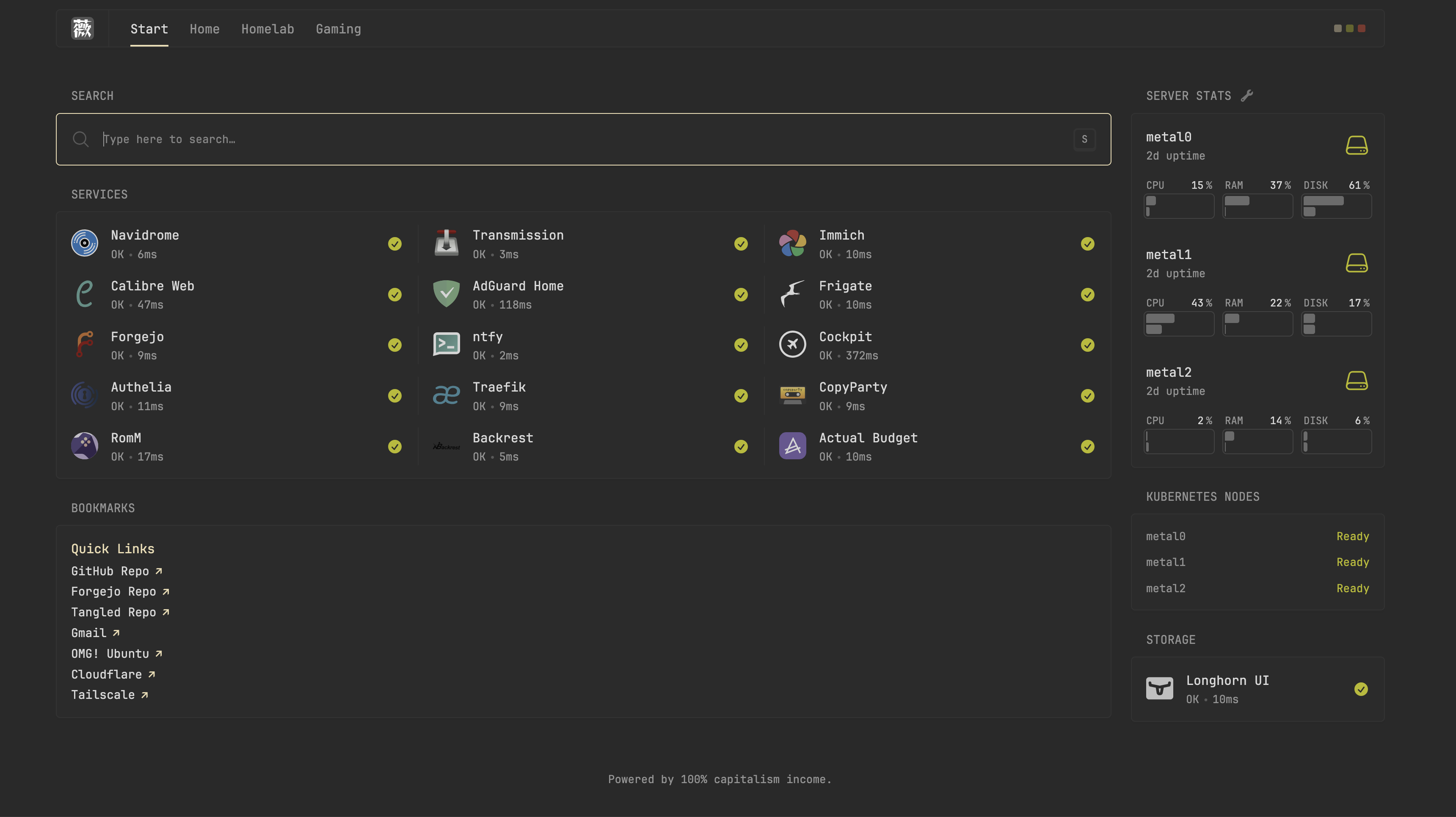
You can see what services I run at hub.ashpex.net. Most of them are not accessible unless you are inside my Tailnet, though. I still expose a few public-facing services through Cloudflare Tunnel, but the private stuff stays private.
Conclusion
For now, I’m pretty happy with how the homelab has turned out. There’s still plenty I want to improve, especially when it comes to storage. Those two spare 480GB SATA SSDs aren’t going to install themselves, sadly. That will probably be a future post.
 Support Me on Ko-Fi.com